SAFETY · GOVERNANCE · PRACTICE
NOV 16, 2026
UPDATED NOV 17, 2026
BY CLARA KLEIN
Is it safe to put customer data into ChatGPT?
It depends on the account. Personal ChatGPT can train on what you paste unless you opt out; business plans don't by default. What support teams should allow.
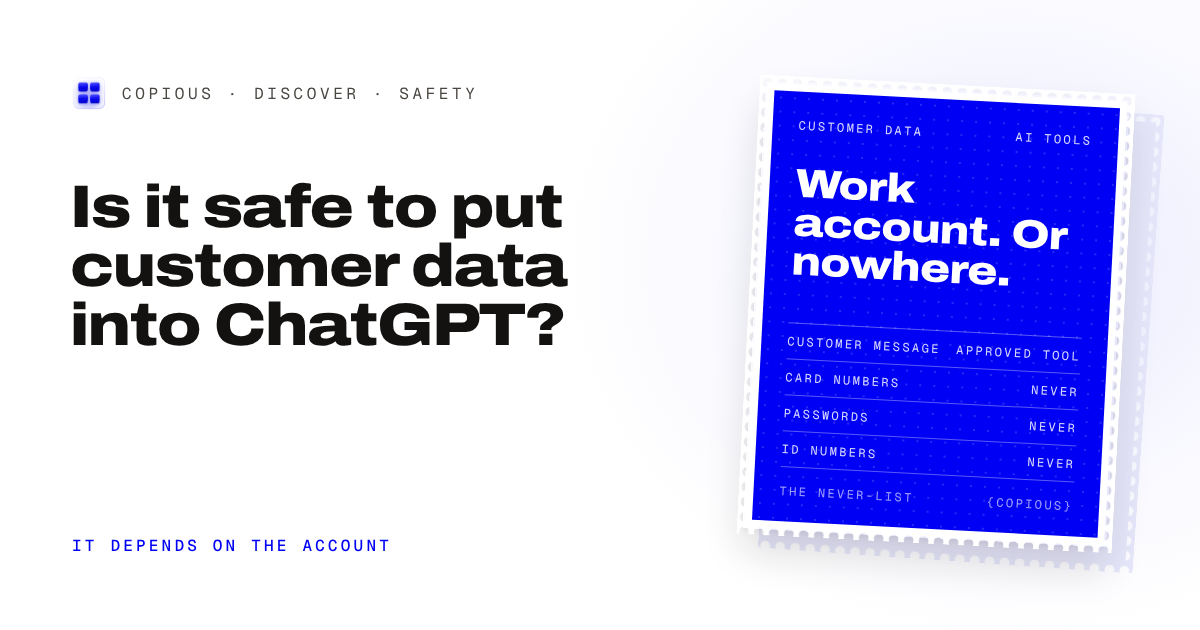
It depends on the account, not the chatbot. On a personal ChatGPT account, OpenAI may use what you paste to train its models unless you opt out, and a deleted chat can take up to 30 days to leave its systems. On ChatGPT Business, ChatGPT Enterprise and the API, OpenAI says it doesn't train on your inputs by default. Either way, customer data should go only into a tool your company has approved for it, on a work account, and some data should go into none.
TL;DR
- Personal ChatGPT (Free, Plus, Pro): training is on unless the person opts out. Business plans: off by default, per OpenAI.
- Training isn't the only risk. Retention, court orders, your own privacy promises and the lack of a company record matter too.
- It's common: 34% of office workers in one 2026 survey had entered customer data into public AI tools.
- Approve one tool on a work account, write a short never-list, and have a person read every draft before it's sent. Pass: any agent can name, without looking it up, the one AI tool they may paste a customer's message into.
What happens to customer data you paste into ChatGPT?
Three things decide it: whether it's used for training, how long it's kept, and who can make OpenAI keep it.
Training. OpenAI's help center says that on services for individuals, such as ChatGPT, it may use your content to train its models. You opt out by turning off "Improve the model for everyone" under Settings, then Data Controls, or through OpenAI's privacy portal. Giving feedback on a response can send that whole conversation for training. For business users, OpenAI says it doesn't train on inputs or outputs from ChatGPT Business, ChatGPT Enterprise or the API by default.
Retention. When you delete a chat, OpenAI says it's removed from your account right away and scheduled for permanent deletion within 30 days, unless it was already de-identified or OpenAI has to keep it for security or legal reasons. Temporary Chats are deleted within 30 days without you doing anything.
Court orders. In 2025, a court order in The New York Times' copyright lawsuit required OpenAI to preserve consumer ChatGPT and API content it would normally have deleted. OpenAI says that obligation ended on Sep 26, 2025. The point for a support team: a deletion promise can be suspended by a court, and nothing on your side controls that.
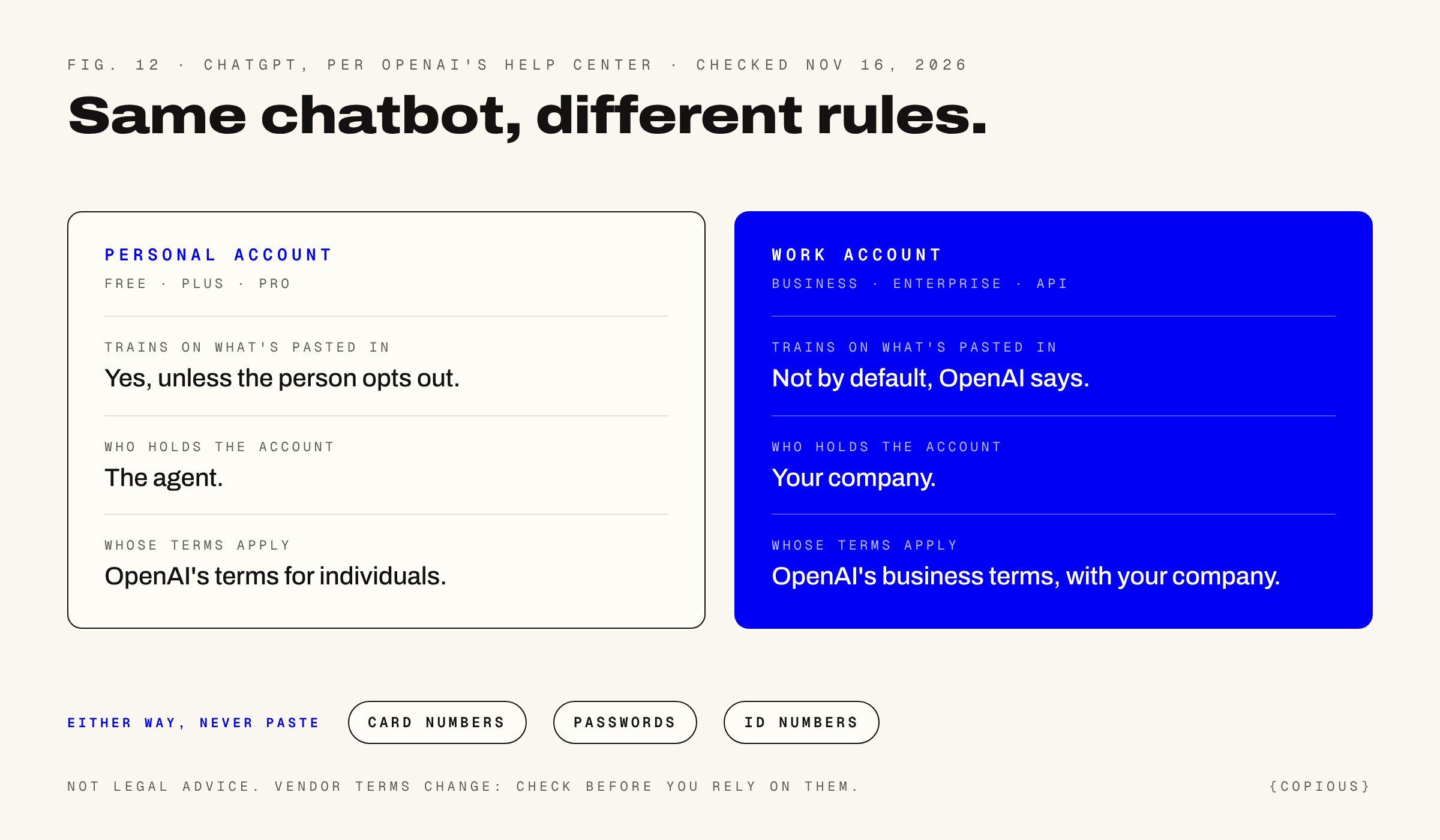
Fig. 12. The account decides what happens to customer data, not the chatbot. Not legal advice; vendor terms change.
Is ChatGPT different from Gemini, Copilot or Claude?
The pattern is the same: personal accounts and work accounts follow different rules. This is what each company's own pages say, not a ranking.
ChatGPT (OpenAI). Personal accounts on Free, Plus and Pro may be used for training unless the person opts out. Business, Enterprise and the API aren't trained on by default.
Gemini (Google). On personal accounts with Keep Activity on, chats help improve Google services. Some are read by human reviewers, and reviewed chats are kept for up to three years, even after the person deletes their activity. Google advises against entering confidential information. Work and school accounts can follow different rules, so check your Google Workspace terms.
Copilot (Microsoft). Personal accounts follow Microsoft's consumer terms. Signed in with a work (Microsoft Entra) account, enterprise data protection applies: prompts and responses aren't used to train foundation models, and they're logged and available for audit and eDiscovery.
Claude (Anthropic). Since Anthropic updated its consumer terms in fall 2025, Free, Pro and Max users choose whether chats are used for training. If they allow it, data can be kept for up to five years; if not, the 30-day retention applies. Claude for Work, Claude for Education and the API aren't covered by that change.
Is training the only risk?
No. For a support team, it's often not the biggest one.
People already do it. In PagerDuty's 2026 Shadow AI Survey, run by Wakefield Research with 1,250 office professionals in April 2026, 34% said they had entered customer data or information into public AI tools. At companies with fewer than 1,500 employees, it was 40%. (What shadow AI is, and what to do about it.)
Your own promises. Your privacy notice, customer contracts and data processing agreements may say which companies can process customer data. A person's own ChatGPT account isn't a vendor your company has a contract with.
No record. On a personal account, your company can't see, keep or export what was sent. If a customer asks what happened to their data, you can't answer. A work account changes that: Microsoft, for example, says Copilot prompts and responses under enterprise data protection are logged and available for audit.
Promises under your name. A draft that says the refund is approved becomes your company's promise when the agent sends it. A business plan protects the data. It doesn't check the promise. (Why agents should sign the AI policy.)
What should never go into any AI tool?
Write this list once and put it in your AI policy. Keep it short enough to remember mid-ticket:
- Payment card numbers and full bank account numbers.
- Passwords, security answers and one-time codes.
- Government ID numbers, such as Social Security and driver's license numbers.
- Health information, unless your company has approved a tool for it.
- Anything your customer contracts forbid sharing with third parties.
- Another customer's details, pasted in for "context."
When a task doesn't need a name or an order number, replace it with a label like [CUSTOMER] or [ORDER] before pasting.
How do you let agents use AI on tickets safely?
- Approve one tool for customer data, on a work account. Pick a plan where the vendor says it doesn't train on your data by default.
- Set it up. Check the workspace's retention and data settings, and who can see conversations.
- Write the never-list. One line each, as above.
- Say which ticket types AI may draft for. And which decisions a person makes: refunds, credits, exceptions and account changes are the usual start.
- Read every draft before it's sent. Anything that promises money, a date or an exception gets checked against the rule.
- Put it in the AI policy and get it signed. Everyone who touches customer messages, contractors included. (How to write the policy.)
- Say what to do when it goes wrong. Who to tell, and how fast, if customer data went into the wrong tool.
Pass: pick any agent and ask which AI tool they may paste a customer's message into. If they name one tool, on a work account, without looking it up, you pass. If they say "I think ChatGPT is fine," you don't.
Where Copious fits
Copious keeps your AI policy, including the approved tools and the never-list, as a published version that everyone signs from an email link. Any section can become a plain-sentence rule. Before using a prompt, an agent can paste it into the Check, which compares it with your rules and comes back CLEAR, ADJUSTED with the fix shown, or HELD with the rule it breaks. By default the Check runs your rules in code, with no AI model, and if an owner turns on meaning reads, customer details are replaced with labels before the prompt goes to a model. Copious can't stop anyone from opening ChatGPT in another tab. It records every check, fix and override. How Copious handles data · See pricing
Step by step in the Copious docs: Write rules the Check can apply · Check a prompt
Where this doesn't apply
- This isn't legal advice. HIPAA, PCI DSS, financial privacy rules or your contracts may forbid some data in any AI tool, work account or not. Ask counsel.
- Vendor terms change. We checked every page above on Nov 16, 2026. Check them again before you rely on them.
- "Not used for training" isn't "not stored." Business plans still keep data under the workspace's retention settings.
- Apps built on these models follow their own terms too. A browser extension or helpdesk add-on that calls an AI model has its own data rules.
- A ban isn't a policy. Without an approved tool, AI use moves out of sight.
Frequently asked questions
Is it safe to use ChatGPT for work emails?
It can be, on an account your company approved and with the right data left out. On personal Free, Plus and Pro plans, OpenAI may train on what you paste unless you opt out. Business plans don't train by default. Leave out card numbers, passwords and ID numbers, and read every draft before you send it.
Is it safe to put company data into ChatGPT?
Only on a work account your company has approved, and only data your policy allows. OpenAI says ChatGPT Business, ChatGPT Enterprise and the API aren't trained on by default. Personal accounts are, unless the person opts out. Confidential documents, customer details and anything your contracts restrict belong on the approved account or nowhere.
Is ChatGPT Business safe for confidential information?
It's safer than a personal account: OpenAI says it doesn't train on Business inputs or outputs by default, and admins control the workspace. It isn't automatically approved for every kind of data. Regulated data, like health or payment information, may need contracts and settings your plan doesn't include. Check with security and counsel.
Does ChatGPT keep what I paste?
Saved chats stay in your account until you delete them. OpenAI says a deleted chat is scheduled for permanent deletion within 30 days, unless it must be kept for security or legal reasons, and Temporary Chats are deleted within 30 days. In 2025, a court order paused deletion for consumer chats; OpenAI says that ended Sep 26, 2025.
Is it unprofessional to use ChatGPT for emails?
Not if a person reads, edits and owns what's sent. Customers judge the reply, not the tool. What's unprofessional is a draft that promises something your company didn't agree to, or one that carries another customer's details. Use the approved tool, keep customer data you don't need out, and read before sending.
Is Temporary Chat private enough for customer data?
No. Temporary Chats don't appear in your history, and OpenAI says it deletes them within 30 days, but they still go through a personal account your company doesn't control or record. Temporary Chat is a privacy setting for individuals. It isn't a replacement for an approved work account.
Related: Your agents draft replies in ChatGPT. Have they signed your AI policy? · What is shadow AI? · How to write an AI usage policy support agents will actually follow
Sources
Checked Nov 16, 2026.
- How your data is used to improve model performance · OpenAI Help Center
- Chat and file retention policies in ChatGPT · OpenAI Help Center
- How we're responding to The New York Times' data demands in order to protect user privacy · OpenAI, updated Oct 22, 2025
- Gemini Apps Privacy Hub · Google
- Enterprise data protection in Microsoft 365 Copilot and Microsoft 365 Copilot Chat · Microsoft Learn
- Frequently asked questions about Copilot Chat · Microsoft Learn
- Updates to Consumer Terms and Privacy Policy · Anthropic, Aug 28, 2025
- Shadow AI is happening within your organization: 2026 Shadow AI Survey · PagerDuty, Jun 11, 2026
Copious helps support and CX leaders decide what AI should handle in their queue and what their people should keep, one ticket type at a time. We take no money from AI vendors.